Hi sorry if this has been asked but searched and couldn’t see a method. I have my QC connected to my speaker monitors using TRS cables on QC output 3 & 4. I want to play along to Guitar Pro by outputting the MacBook Audio via USB into the QC which then gets sent to Outputs 3 & 4 so I can hear both my guitar and audio from MacBook Guitar Pro through my monitor speakers. How do I do this?
In the I/O section I see USB 1/2 is receiving the MacBook sound but can’t see how to route it to outputs 3 & 4?
In the grid can only add USB 5-8 not 1-4, so can’t add to grid and route to QC output 3&4.
Brilliant thank you very much! Saves me buying XLR cables.
1 Like
Thanks for this, searched high and low for answer as I had the same issue, finally came across your simple explanation, thanks again !!
1 Like
THANK YOU, use spotlight and search midi if you can’t find audio/midi set up like me
Im having the same issue but the reply is hidden!
Why is there no answer? Has everyone just thanked the void? I’ve been looking for a solution to this ever since I joined QC, and I haven’t found one anywhere. So does that mean the solution to this problem is to do nothing about it?
1 Like
Hi I wrote the OP and I can no longer see the reply that fixed my issue either. Maybe the user has left the forum. I checked my emails to see if at the time I got an email of the reply as I have sometimes but can’t see it. I honestly can’t remember the response, I’ll check my settings on MacBook and let you guys know.
I have dug through my settings and can see what I did. There are 2 steps, 1 for general MacBook Audio (mp3 player etc) to QC via TRS Out 3/4 and 2 Guitar Pro to Out 3/4.

Firstly search spotlight for Audio MIDI Setup.

Next Add Quad Cortex on left. Sorry can’t remember if it is automatically added when connected or if I had to manually add on setup. You guys can try and let the others know. Now click on Configure on the bottom right.
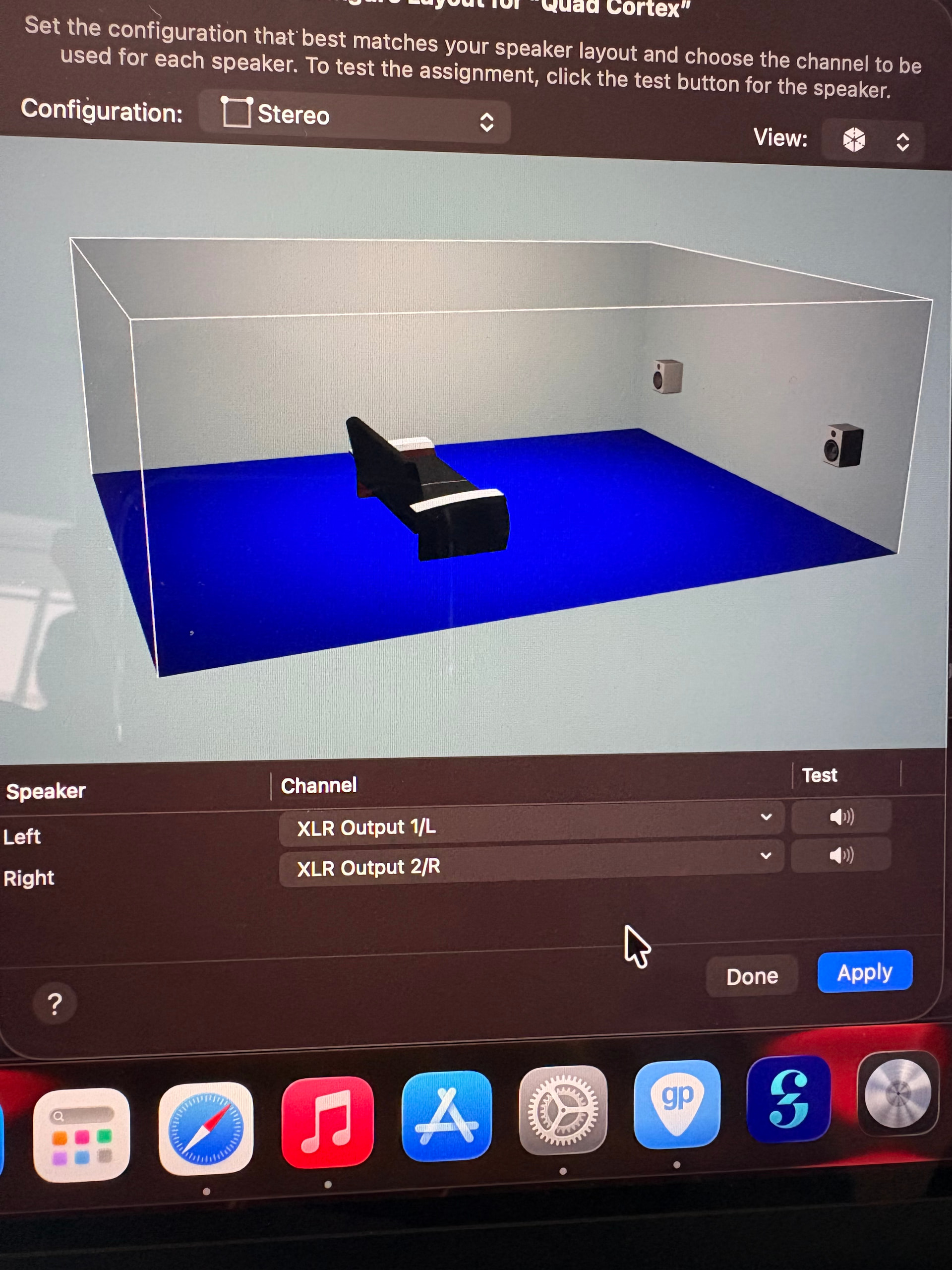
If it is Output 1/L and Output 2/L change to Output 3/L and Output 4/L as per image below and click Apply.

Now go to MacBook System setting like this:

Change output to Quad Cortex. Try Apple Music or mp3 and it should now work.
2 Guitar Pro
Go to Guitar Pro title bar and preferences and you should get the following:

Change Audio output to Quad Cortex and select TRS output 3/4.
let me know if this works or I have missed a step.
1 Like
You da real 1 woof woof
1 Like

1 Like