When I use the transpose function, it plays in the pitch I’ve chosen but it still retains the original note. So if I transpose it down by 1 semitone I get an awful mix of two discordant notes. So playing a chord is out of the question. I think I followed the exact steps shown in this Youtube vid – have I missed something? https://www.youtube.com/watch?v=xqqI2H6zpGo
Try headphones. You may be hearing the string of the guitar acoustically.
1 Like
Hi Karlic, I think you may be right about me hearing the strings of the guitar - especially as it’s a semi-acoustic.
Thanks again
Seán
3 Likes
Either that or there is some signal path in the preset which takes the dry signal to the output.
2 Likes
Ah cheers for the suggestion Andy. I can’t see anything here that’s taking the dry signal to the output. I’ve decided it must be my ears playing tricks and that the original sound is that of the guitar.

3 Likes
most likely that’s it- it’s a VERY common occurrence.
Your preset looks clean, it doesn’t have any way for the dry tone to leak thru
You should be able to validate with headphones that you aren’t hearing the acoustic signal as well.
Yes, that’s right, it’s absolutely true.
When using the pitch shifter, you can clearly hear the transposed note plus the original note.
It’s a bug (or a gap) that has existed since the beginning. I hope they fix it soon, because the pitch transposition in the QC is honestly underwhelming
Sorry, but I don’t hear any original note when using transpose, I would be very surprised if there is a known bug causing this.
Believe me, it’s true. If you listen closely, you can hear it. It’s always been there you’ll notice it especially with clean tones. I’m not making this up (and neither is Seanoco).
The way to test it is to record the preset with Transpose. Alternatively put your patch up to be tested by others. I simply cannot hear anything but the transposed note, unless I am catching the sound of the guitar strings acoustically.
2 Likes
Make sure you aren’t hearing your guitar while using Transpose. It’s a glitchy pitch shifter, but there definitely isn’t a clean signal passing through it. This is always some post people make every so often and it’s user error every time
3 Likes
I’ve just gone onto Transposer, set it (to -5 semitones), recorded it on my DAW and it’s recording both notes. So what could I be doing wrong?
Share your preset (or at least a photo or screenshot) so everyone’s on the same page.
Here’s a shot of my grid and also a shot of the DAW settings I’m recording it to. When I sent this query to Neural, they were quick to come back and said to check that my signal only goes from one input to one output. I think i

t does, doesn’t it?
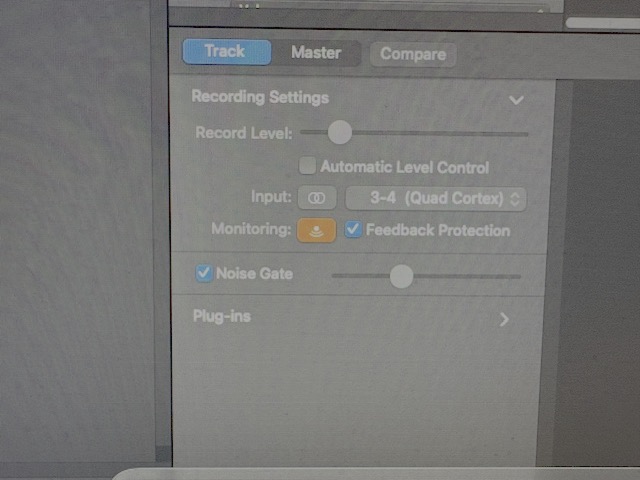
Can you show the split and mix settings? You may be sending a clean signal, before split, to the output.

Looks like a problem with your merge. You’re probably unintentionally blending the original signal with the pitch-shifted signal.
In that case, you have two options. You can either set the merge to 0% “A” (row 3) and 100% “B” (row 4), or you can simply set row 4 output to Multi Out (and remove Multi Out from row 3).
2 Likes
Also, try moving transpose to the beginning of the chain. You may also get better results if the transpose is pre effects.
Thanks, I haven’t worked out how to set merge to % but I’ll look it up. I did try moving transpose to the beginning of the chain but that didn’t help. I’ve got an early start and a big day tomorrow (it’s my 70th birthday) so I’m retiring to bed and will look at this on Thursday. Thanks again. S
Transpose needs to be the first in your chain. The way you have it, the block is after the amp and cab for some reason. Also you have a splitter/mixer that is most likely sending a clean signal to your output.
ALSO, if you’re recording into a DAW, you need to set the output of your signal to be a USB output. Do not use Multi Out. Set the input of the channel in your DAW to the USB input that makes sense for the QC output you selected.
2 Likes